
When I started #FreelanceLife with Shea, we didn’t have a big strategy. In fact, we basically had no strategy at all. We had a couple of rough ideas and a vibe that sounded a lot like:
“We’re having these conversations. Why not record them?”
There was no fancy gear or team behind us. We were simply two random South African freelance writers talking about freelance work and hoping someone would find it useful.
It’s since become one of the most consistent and honest ways I show up online. No pressure to trend or chase an algorithm. Just long-form content that showcases my skillset and my *shudder* thought leadership. (We really need to come up with a less vomit-inducing descriptor for that…)
This is a peek inside my podcast production stack and workflow.
My setup (Currently “good enough”)
I started with what I had, fumbled through tutorials, and adjusted things until they were “good enough” to be published. My setup is still comprised of the bare minimum.
Audio
In the early, pre-video days (when the show, circa 2019, was called “On the Mic with Megan,” later rebranded to “The Business Of…”), I used a Samson Meteor Mic and edited everything manually in Audacity. I didn’t know what EQ or limiting was, so I learned the long way, through tutorials and trial and error. Every episode took ages, but each one was a little better than the last.
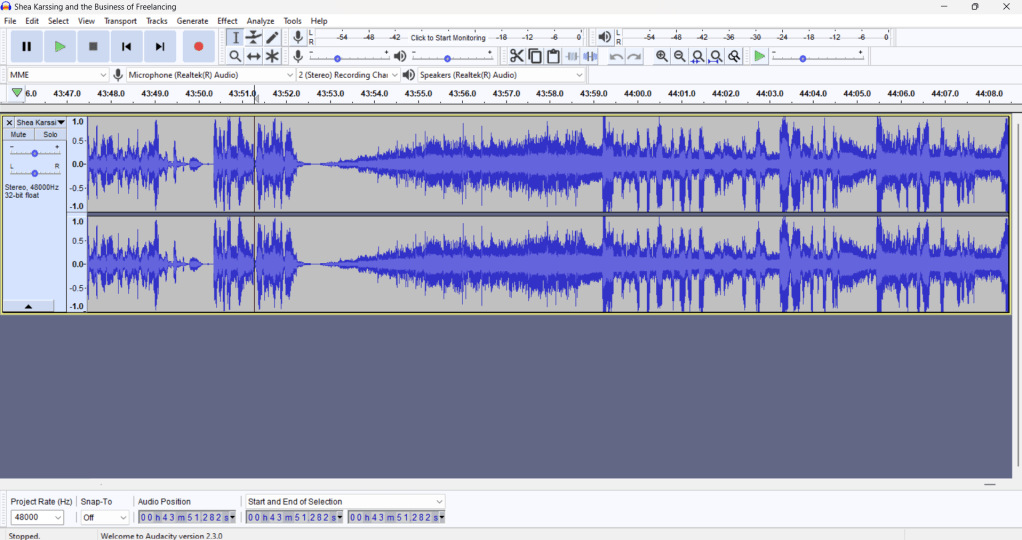
Then COVID happened, and I moved everything online. I recorded on someone else’s Zoom account at first (because #cashflow), and then upgraded to Google Meet when I could justify the Workspace cost. Editing still happened in Audacity. It was slow and clunky, but it got the job done.
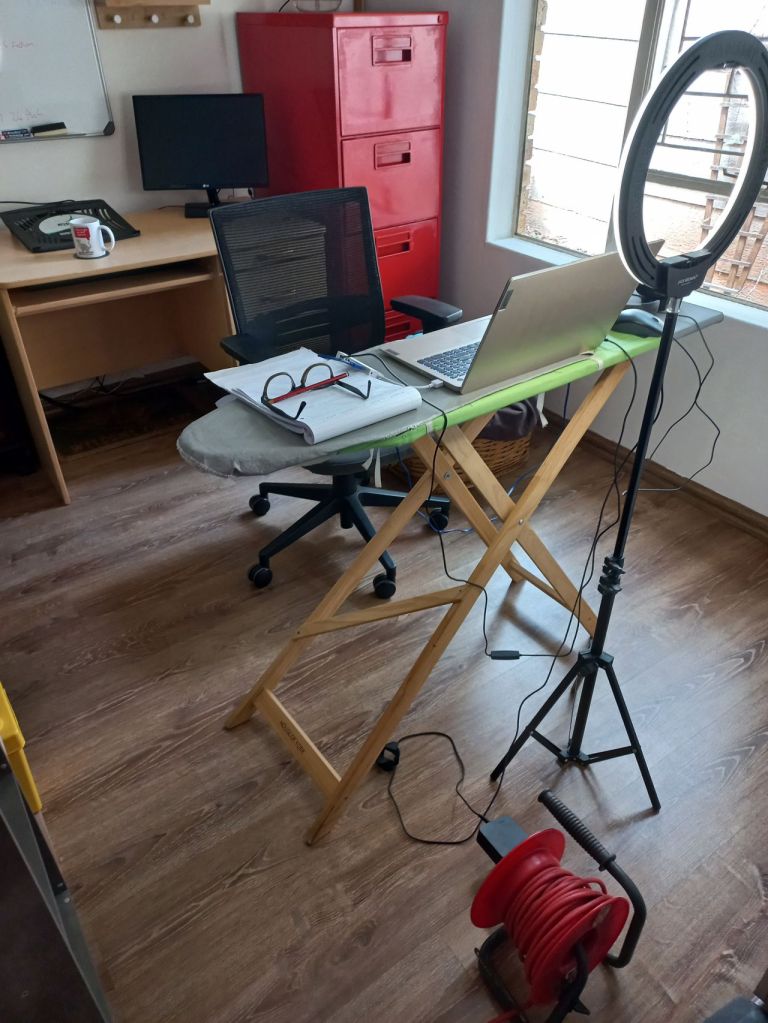
At some point, I started experimenting with video podcasts via Google Meet. I had no way to edit the footage, so I just uploaded the raw files: what we recorded was what went live. I used Audacity (with an FFmpeg plug-in) to extract the audio from the video. This allowed me to edit the audio as I had been doing previously to create the audio version for non-video-based channels.
Once I moved to Riverside, things got a bit faster (and easier). I also swapped the Samson mic for a PS4 SLYR Pro gaming headset (not because it was professional, but because I like the “digital glitch” pattern down the side. True story). The only issue was that it was USB-based, and if I got up from my desk, the entire laptop came with me.
These days, I use a pair of Volkano VXH200 wireless headphones with a built-in mic. They’re not broadcast quality, but they’re comfortable, reliable, and have a ~60-hour battery life. They are basically fused to my skull at this point (because Spotify).
Video
I use the built-in webcam on my laptop and a ring light. So does Shea. It’s not fancy, but it’s enough. Riverside gives us HD recordings and separate audio and video tracks, which is honestly all we need. We don’t bother with digital backgrounds (although Riverside does provide them). I have a painted logo mural, and Shea just sits wherever.
Riverside’s platform does support multi-camera setups. You don’t even need an actual camera—just the app on your smartphone. I’m looking at experimenting with multiple cameras as soon as I remember where I put the phone attachment for my ring light.
How we *cough* plan *cough* and record episodes
Saying that we plan is… generous. Some episodes get discussed immediately after we’ve recorded the current set. Some are discussed the day before we record. Others? Ten minutes before the session, when one of us goes, “Shit, are we recording today?”
We do try to keep a shared list of potential topics. Sometimes we’ll drop in a few beats we want to cover. But most of the time, it’s a case of hitting record and seeing where the conversation goes. (And weirdly, some of our best episodes have come from that approach.)
#FreelanceLife is not my first podcast, though.
On “The Business Of…” I interviewed small business owners. We’d have a pre-show call to discuss themes and beats, after which I’d send an in-depth question set to guide the show and make sure we covered everything we needed to. I also used to co-host a more structured, Q&A-style show on tech and AI with Raj Goodman. That one needed research: stats, angles, trending topics, and prep questions.
Each format has its place, pros, and cons. The trick is finding the balance between what your audience wants and what’s most efficient for you to create.
Editing and post-production (Still cannot be fully automated)
Once the recording is done, I edit everything directly in Riverside. The AI tools are helpful—they tidy up filler words, apply basic clean-up, and handle speaker layouts. But it’s far from perfect, so I still do a full manual edit.
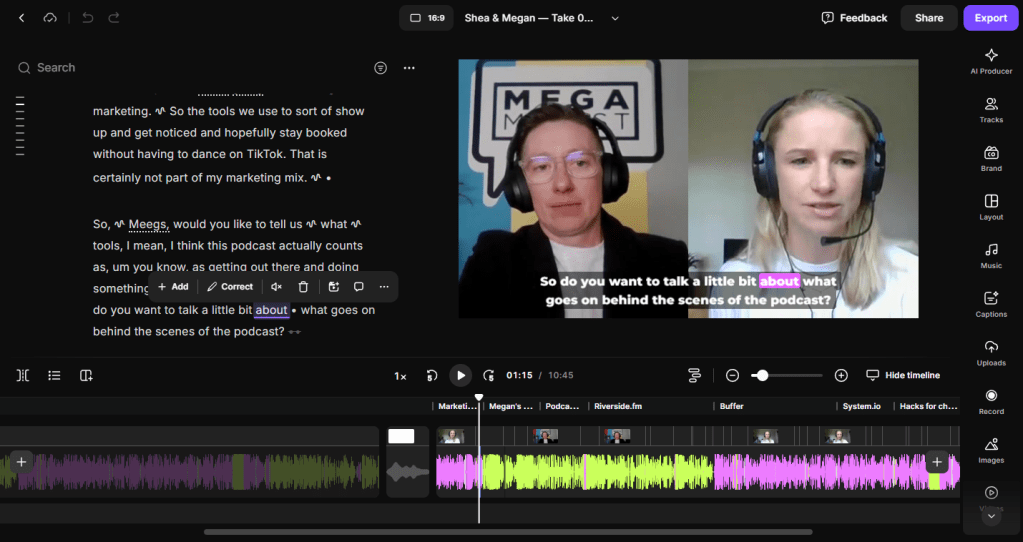
Here’s the usual workflow:
- Scan the transcript for fluff or long rambles
- Trim down filler, dead air, and awkward tangents
- Come up with the episode title, a short description/show notes, and a four-word teaser for the YouTube thumbnail
- Create the thumbnail for YouTube. A screenshot from the episode, remove the background, and drop it into our branded Canva template. (For every. Single. Episode.)
- Cut a single promo clip for LinkedIn: I used to make three, but let’s be real: one is plenty, especially as I have actual paid work to do
I also try to add useful links and references to the descriptions… Although, full disclosure, I 99.99% of the time forget to do this for #FreelanceLife. (Just listen to the episode, ‘k? It’s all in there.)
Time vs. ROI (Is it worth it?)
Even with tools and templates, podcasting is time-heavy. It’s not “set and forget” content. It takes a fair amount of effort (and a bit of budget) to keep it going.
What #FreelanceLife costs
Recording: About 90 minutes a month for four 10-to-15-minute shows
Prep: Usually light, but still a factor
Editing and publishing: Even with AI, I can spend around 90 minutes per episode
Assets: Thumbnails, titles, clips, show notes (all manual work, because AI that does this is still kak)
Software and gear: Not a huge investment, but definitely not free. (Today, 24 June 2025, Riverside’s Pro Plan is currently US$288.00 a year.)
What it gives back
I haven’t monetised the podcast in the traditional sense. I hate ads in content because they interrupt the flow. Also, the South African podcasting scene doesn’t offer the same advertising or sponsorship opportunities as international shows.
But it pays off in other ways. It’s:
- A way to stay visible consistently without necessarily relying on regular social media channels and its algorithms
- A live, growing portfolio of what I can do, especially since most of my paid work is under NDA
- Proof of concept for clients who want content like this, but don’t know where to start
Thanks to this podcast, I’ve:
- Been hired to host podcasts and record interviews
- Taken on editing and post-production work
- Produced live webinars and event streams
- Built multi-cam product explainer videos from raw, offline footage. (This was done using some basic DaVinci Resolve functionality. But thanks to vodcasting, I had a jump start on the in-suite multi-camera angle and voiceover learning curve.)
Podcasting is also a brilliant networking tool. During lockdown, “The Business Of…” gave small businesses a free platform to stay visible. I built real connections, sharpened my interviewing and editing skills, and stayed relevant while the world hit pause and the bottom dropped out of the tourism market (my bread and butter until that point).
So no, I don’t make money from the podcast. But it’s resulted in work, built relationships, and added a lot to my skill set. It’s a decent ROI.
Thinking of starting a podcast? Here’s what I’d tell you over coffee
If you’re a freelancer and you’ve been hovering on the edge of starting a podcast… Do it.
You don’t need a studio or top-tier gear. You don’t even need a format, really, because the podcast will probably take on a life of its own and will evolve the more you record. All you need is the willingness to figure things out along the way.
As a foundation to build on:
- Keep it simple. Use what you’ve got. Upgrade later if you want to.
- Don’t overthink the format. A strong idea and a clear voice are enough to carry it.
- Use tools, but keep a human filter. AI can speed things up, but don’t let it make your content sound generic or over-edited.
- Don’t fixate on monetisation. Think of your podcast as a platform, not a product.
- Repurpose, repurpose, repurpose. One episode can fuel a bunch of different content pieces if you’re smart about it.
“If it helps you connect with your audience and shows what you’re about, it’s worth doing.”
Want audio/video content but don’t want to start a podcast?
Not everyone wants to host a show. That’s fair, because even with AI tools, creating this sort of content is super time-consuming. But if you want content that sounds human, looks good, and doesn’t feel like a corporate webinar from 2009, I can help. I work with individuals and small teams who want to:
- Record expert interviews or internal knowledge
- Turn long-form content into usable short-form assets
- Structure episodes or content flows that don’t feel awkward
- Get clean, strategic content without having to touch an editing tool
Whether you’re podcast-curious or just want better content without the DIY effort, I’ve got you. Pop me a message if you’d like to chat.
 Megamalist